Currently Empty: $0,00


Ball Balancing Table
ACROME Ball Balancing Table is an innovative ball plate experiment system suitable for controls and mechatronics education and advanced research topics.

OVERVIEW
Ball Balancing Table, with its easily accessible and user-friendly components, is a hands-on experiment, closing the gap between real industrial systems and DIY-approach. Students can understand the effects of different controller types on the system and easily cover controller design concepts with control system experiments. The ready-to-use courseware and a wide range of software options give the maximum flexibility to learn the essential aspects of control theory by experimenting. The system is also suitable for graduate studies for designing advanced controller types such as robust control, adaptive control, and so on. Open-source software makes it possible that students and researchers can modify and test their own developed algorithms.



SOFTWARE
- Altair Activate
- Executable & GUI
- Python | LabVIEW, Real-Time, FPGA (optional)
- MatLab/Simulink
- C with STM32 software
CONTROLLER
- USB (PC based) | Raspberry Pi + Shield
- NI myRIO | Arduino Mega + Shield
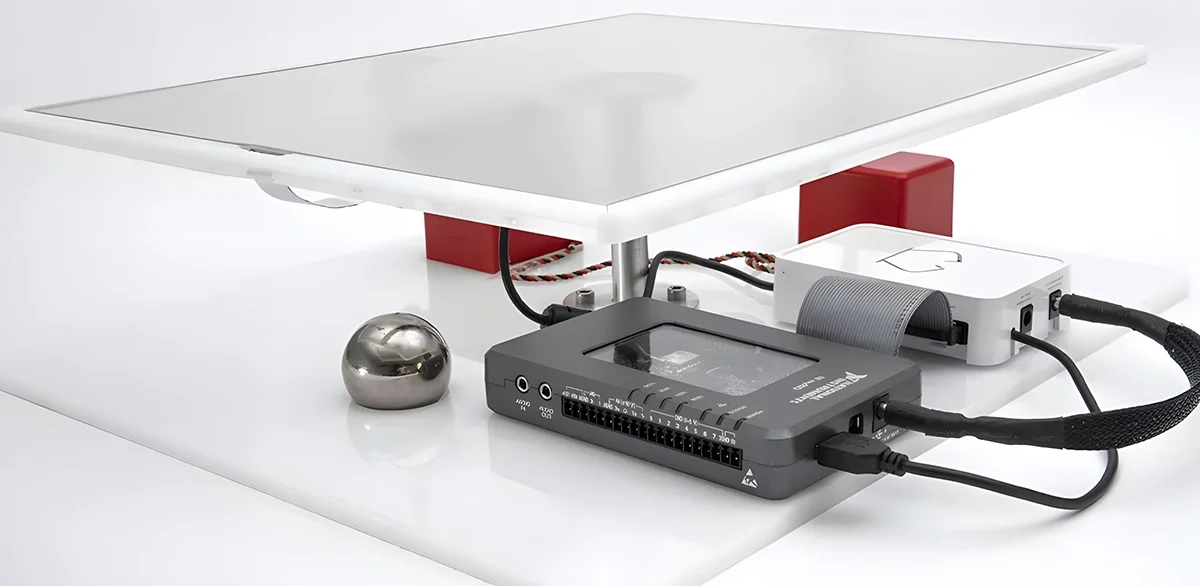
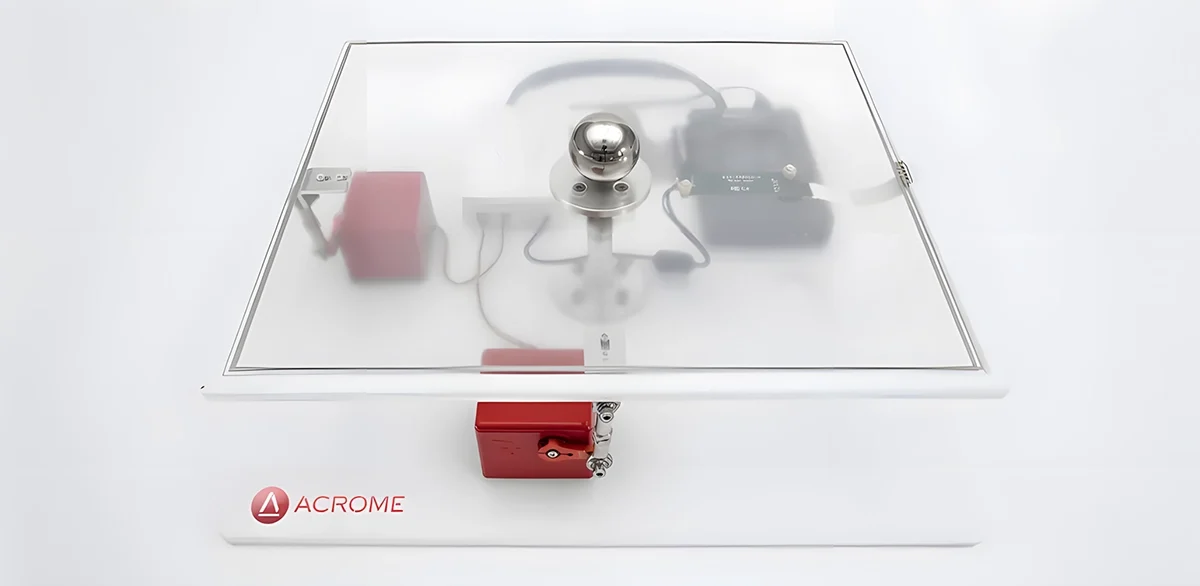
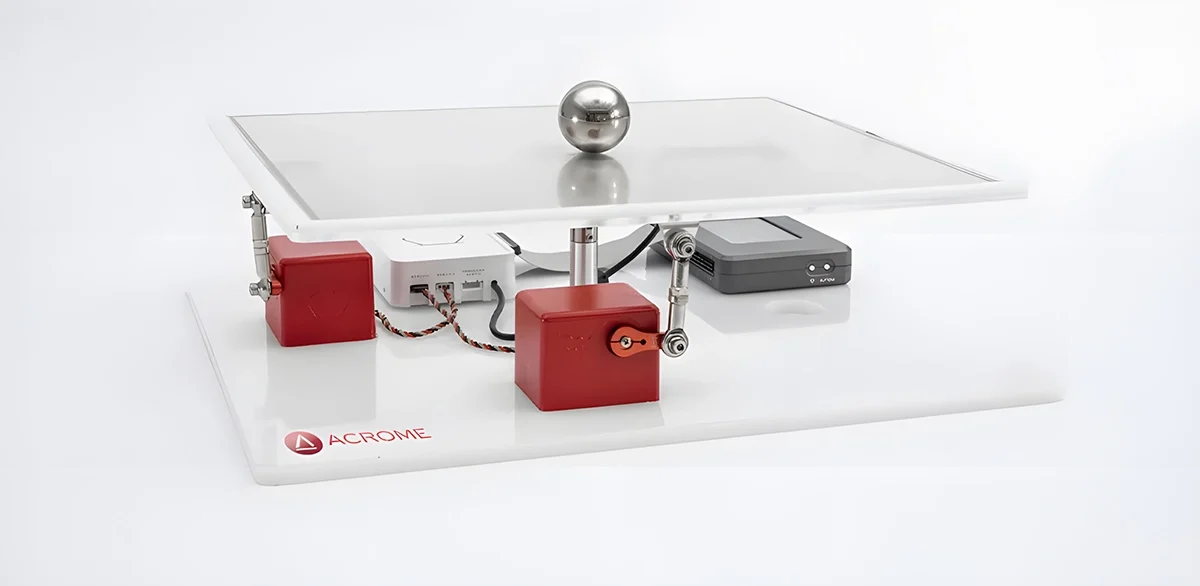
PRODUCT PHOTOS
SPECIFICATIONS
Payload
260 gr.
Workspace
± 7° in Pitch & Roll
Position Repeatability
± 1mm.
Angular Sensitivity
0.36°
Max. Speed
90 °/second
Height (min-max) / Weight
130mm. - 150mm. (± 2mm.) / 4,400 gr.
Platform Dimensions (Length * Width)
375mm. * 310mm. (± 2mm.)
Base Dimensions (Length * Width)
410mm. x 350mm. (± 2mm.)
Power Requirement
12 V - 5 A
Ball Diameter
40mm. (± 1mm.)
Motor Type
RC Servomotors with Built-In Encoder
Feedback Sensors
Resistive Touch Sensor (1200px * 800px)
FEATURES
Assembled and ready to control plant with the integrated power unit
Implementation of advanced digital control techniques
Fully documented system models and parameters provided for MATLAB®/Simulink®, LabVIEW™, Altair Activate®
Rectangular and circular path options are integrated into the software
Digital twin available in Altair software.
Getting Started Program with rich Graphical User Interface for out-of-the-box user experience
Fully compatible with MATLAB®/Simulink®, LabVIEW™ and Altair Activate®
Ball position feedback using a high precision touch surface (camera-based feedback optional) Actuating the table by RC servo motors, which are familiar to students
Enables students to create their own real-time algorithms. Open architecture with extensive courseware, suitable for undergraduate courses for engineering disciplines related to control systems
FAQs
What is Ball Balancing Table?
The Ball Balancing Table system is an automatic control system, used for teaching control systems and various control algorithms.
What is a Ball Balancing Table used for?
The Ball Balancing Table is used for trying different algorithms to control the ball's position in 2 different horizontal directions, in a safe and repeatable manner.
What is the feedback sensor type?
An analogue touch sensor is used to determine the position of the ball. The servo motor has also an optional potentiometer to measure the position of the servo motor's arm. Product can also optionally provided with an Inertial Measurement (IMU) sensor to measure the tilt angles of the moving plate.
Is there a non-academic version for other usage purposes?
Yes there is a maker version based on Python software. Custom software options also exists for different test scenarios.
Does the product comes with a controller and software/courseware?
Product comes with the controller, software and a companion courseware with example source codes.
Is there any after-sales support or training for the product?
A complimentary online support session is available after the delivery of the products. Standard support is provided via the phone, e-mail or remote desktop connection.
CURRICULUM
Components of Ball Balancing Table
RC Servo Motors
Touch Sensor Controller
Acrome Power Distribution BoxMechanics of the System
Touch Sensor Controller
Acrome Power Distribution BoxMechanics of the System
PERFORMANCE MEASURES
Time Domain Characteristics
Steady State Response and Steady State Error
Steady State Response and Steady State Error
FUNDAMENTALS OF PWM
PWM Signaling Theory
Generating PWM Signals Driving
RC Servos with PWM Signals
Generating PWM Signals Driving
RC Servos with PWM Signals
CONTROL SYSTEM DESIGN
Design of Linear Controllers
PID controller and Fuzzy Logic Controller
Comparing the Simulation and Real System Responses for Different Controllers
PID controller and Fuzzy Logic Controller
Comparing the Simulation and Real System Responses for Different Controllers
SYSTEM MODELING
Lagrangian Method
Newton’s Law of Motion
Modeling of Actuator
Obtaining Transfer Function
Newton’s Law of Motion
Modeling of Actuator
Obtaining Transfer Function
CONTROL SYSTEM VERIFICATION
Frequency response analysis
Experimental Bode Diagram
Cut-Off Frequency Determination
Experimental Bode Diagram
Cut-Off Frequency Determination
FEEDBACK IN CONTROL SYSTEMS
Reading Ball Position from Touch Sensor
Derivative Filtering
Derivative Filtering
RELATED BLOGS
Ball Balancing Table Maze Solver - Reinforcement Learning
7Min
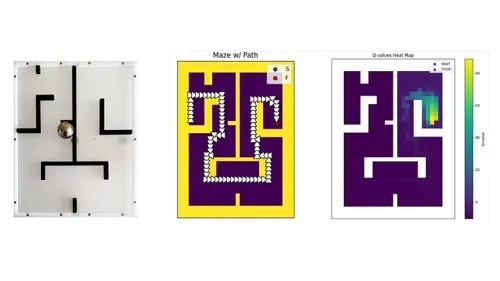
In this project, we investigate the application of PID control and Q-learning algorithms to the Ball Balancing Table (BBT) in order to solve a maze. An open-source tool called the BBT makes it possible to experiment with control systems directly. The device can guide a ball through a maze by adjusting the tilt of the table, imparting important knowledge about reinforcement learning, control theory, and feedback systems. The table’s orientation is adjusted by using a PID controller in response to real-time feedback from the ball’s position. A matrix of 0s and 1s with open paths and walls, respectively, is used to depict the maze. The system associates movements with the Q-learning reinforcement learning algorithm to learn how to move the ball through the maze.
Ball Balancing Table Maze Solver - Reinforcement Learning
7Min
In this project, we investigate the application of PID control and Q-learning algorithms to the Ball Balancing Table (BBT) in order to solve a maze. An open-source tool called the BBT makes it possible to experiment with control systems directly. The device can guide a ball through a maze by adjusting the tilt of the table, imparting important knowledge about reinforcement learning, control theory, and feedback systems. The table’s orientation is adjusted by using a PID controller in response to real-time feedback from the ball’s position. A matrix of 0s and 1s with open paths and walls, respectively, is used to depict the maze. The system associates movements with the Q-learning reinforcement learning algorithm to learn how to move the ball through the maze.